
Payment
1. PayPal
If you have a PayPal account, you can pay directly by logging into your PayPal account. If you do not have a PayPal account, please pay with a PayPal-accepted credit card. PayPal accepts credit cards: Visa, Mastercard, American Express, Discover and Maestro, etc.
2. Credit cards: Visa, Mastercard, American Express, Discover and Maestro, etc.
How to use a credit card payment?
Paying with PayPal without a PayPal account
Payments are made at PayPal, but you do not need to own a PayPal account to pay: you may enter your credit card data directly at PayPal and complete your payment. You don't need to register a PayPal account either.
Once you get redirected to PayPal, just do as follows:
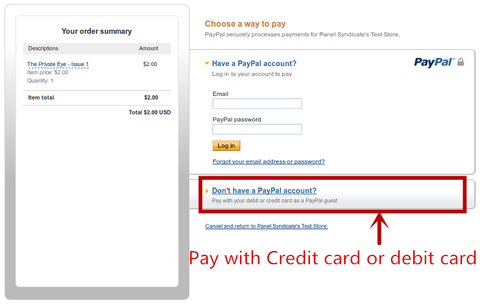
1. Make sure the "Don't have a PayPal account?" option is selected
If your PayPal page looks as follows, just click on "Don't have a PayPal account?".
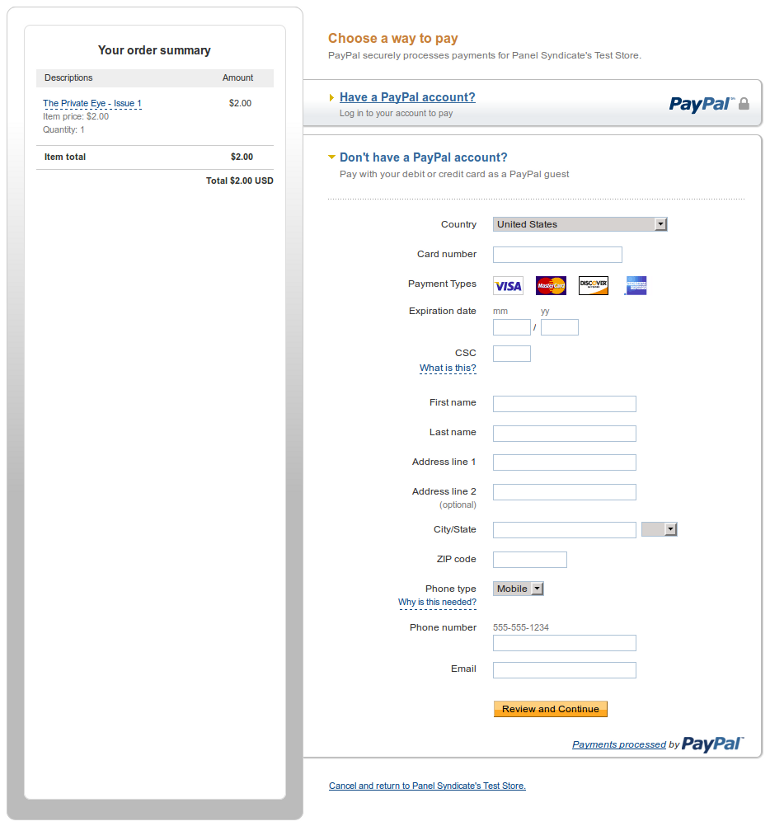
2. Enter your credit card's data
Address, email & phone number may also be requested depending on your country.
When you are done, click on "Review and Continue".
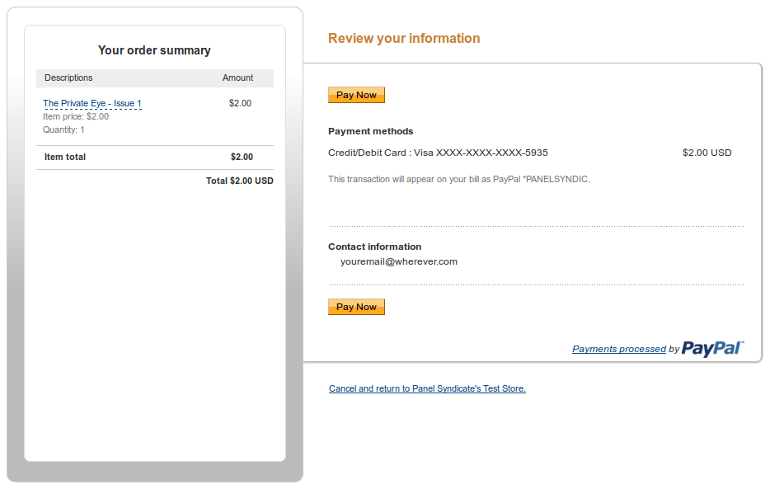
3. Click on "Pay Now"
4. Click on "No, Thanks"
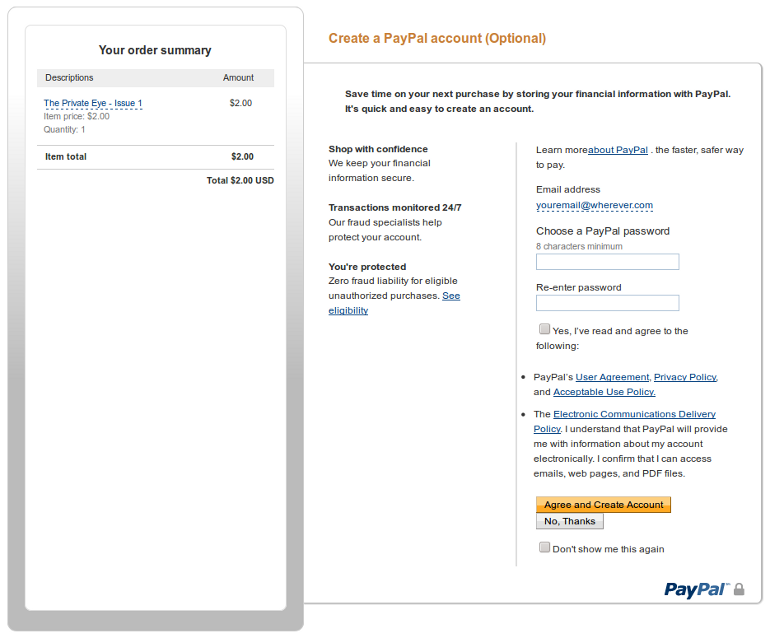
5. Finally, click on "Pay Now" and you will complete your payment.